Programmes
Programmes are where you organise the training your clients follow.
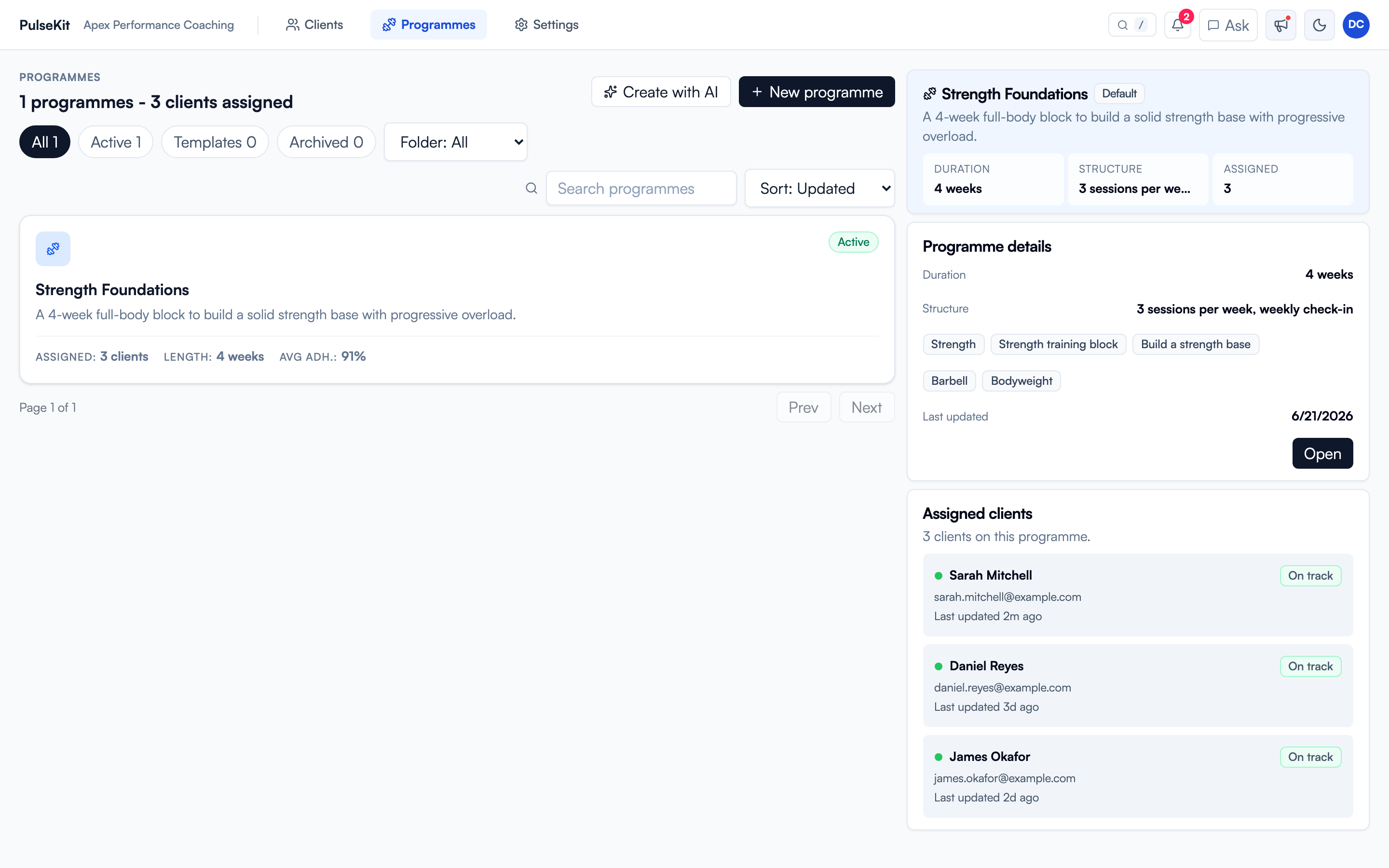
The left side lists your programmes with how many clients are assigned, the length, and average adherence. Select one to see its details on the right: duration, weekly structure, focus tags, and every client currently following it. Use + New programme to build one from scratch, or Create with AI to draft a structure you can edit.
When to use programmes
Use programmes when you want to:
- Create a repeatable training structure.
- Adjust a client's current plan.
- Reuse a plan for another client or group.
- Keep sessions clear and easy for clients to follow.
Edit one client’s programme
Open the programme from the client’s row or detail panel. PulseKit makes a separate copy for that client before you edit it. Their calendar and workout history stay in place. The reusable template and other clients’ programmes keep their existing content. The editor shows whose copy you are editing.
From a shared template, use Edit for this client only under Assigned clients. You can also select the programme line under the client's name.
To change a shared template, open it from Programmes. Changes there apply to clients still using that template.
Weeks, blocks and supersets
- Select Delete week…, choose the week, and confirm. Later weeks move up by one. You must keep at least one week. PulseKit stops you from deleting a week that an active or paused client has already reached. Completed workouts are kept.
- Use Edit blocks beside the block buttons to change block names and lengths. The blocks must cover every week without gaps or overlaps. Exercise content stays in its existing weeks.
- Use Add superset to add a new superset, or use the link button beside an exercise’s row label to join it to the exercise above. Use unlink to separate it again. Clients see labels such as "Superset A" and the note "Alternate the exercises in this superset." Row labels are renumbered after structural changes.
- Use the video link button on an exercise row to add a video link. Clients can watch it from the exercise.
Group self-assignment
Turn on Group self-assignment on a programme so the self-assignment flow can offer it to group clients. See Group coaching.
Programme checklist
Before assigning a programme, check:
- The goal matches the client.
- Training days are in the right order.
- Exercise names are clear.
- Sets, reps, rest, and notes are easy to understand.
- Any substitutions or restrictions are included.
Keeping plans tidy
Use clear names so programmes are easy to find later. If a plan is no longer current, archive it rather than leaving it mixed in with active work.