Notifications
Notifications surface client activity as it happens, so you do not have to open each profile to find out what changed.
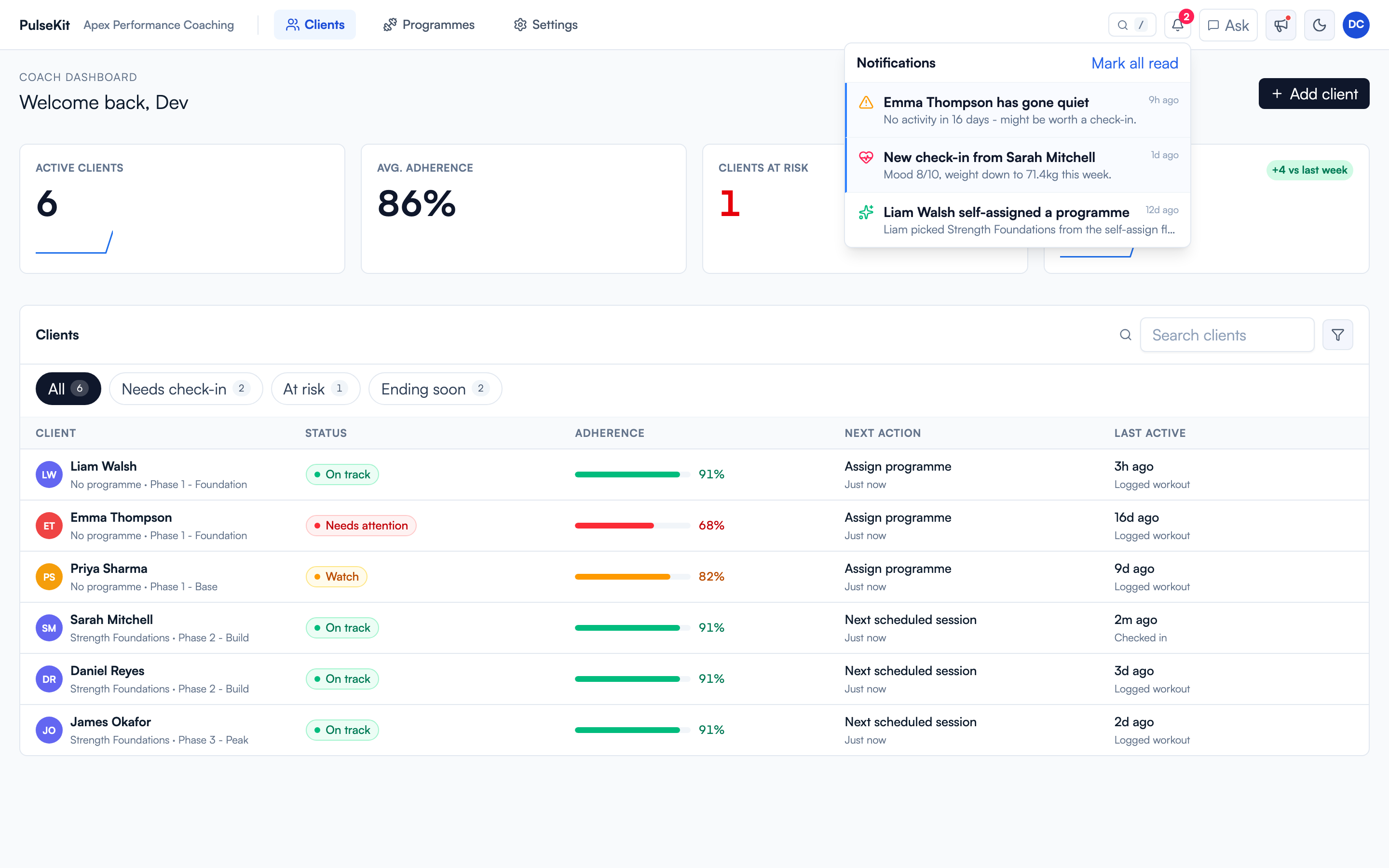
The bell in the top bar opens the panel. Each item names the client and the event, and links straight to that client. Mark all read clears the list once you have worked through it.
What gets flagged
- New check-ins
- Clients going quiet for 7 days
- Programmes ending in 7 days
- Self-assigned programmes
The panel is ordered newest first and works well as a daily triage list. Today it covers coaching workflow events only; PulseKit does not yet include in-app client chat or message replies in this feed.
Browser push
To get a browser notification as well, go to Settings > Notifications and select Enable. Push covers new check-ins, clients inactive for 7 days, and plans ending in 7 days.
If PulseKit is open inside Pulse, the browser may block push. Select Open PulseKit in new tab and enable it there.