PulseKit documentation
PulseKit help
Practical guides for managing clients, programmes, food logs, notifications, settings, group coaching, and the client app.
Your delivery overview
PulseKit keeps client delivery organised in one place. See who needs attention, manage training programmes, review food and check-in activity, and share a simple client app with each client.
The screenshots show PulseKit coach and client screens.
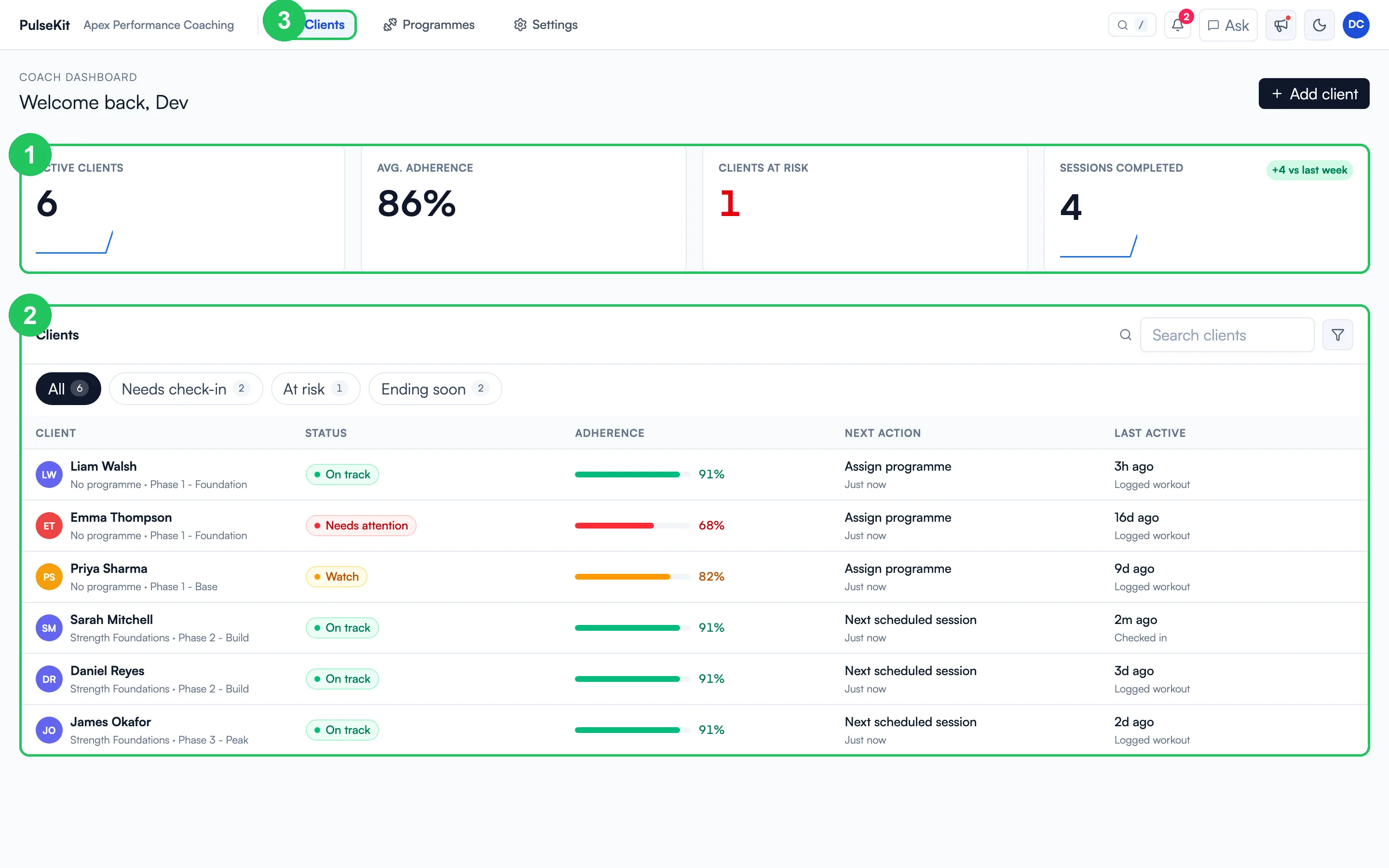
- Headline metrics - active clients, average adherence, clients at risk, and sessions completed this week.
- Client list - every client with their current phase, status, adherence, next action, and last activity.
- Navigation - move between Clients, Programmes, and Settings at any time.
Work from one clear view
- See all active clients and spot who needs a check-in.
- Open a client profile to review their plan, progress, notes, and recent activity.
- Build or update programmes and assign them to the right people.
- Review meals, calories, macros, and food diary entries.
- Set one check-in form for all clients, and add your community link, in Settings.
- Run group coaching, where group clients choose their programme by answering a few questions.
- Send clients to their own app so they can follow the plan from their phone.
Start here
- Open the Open PulseKit link in the top-right corner of this help site.
- Sign in to your Pulse account and open PulseKit from its sidebar.
- Open the client list and choose the person you want to work with.
- Use the tabs and panels in PulseKit to review their plan, update tasks, or check progress.
If you are new to PulseKit, read Sign in, then Settings, then Clients and Programmes. If you coach groups, read Group coaching next.