Clients
The client list is your daily starting point. It helps you see who is active, who needs attention, and where to go next.
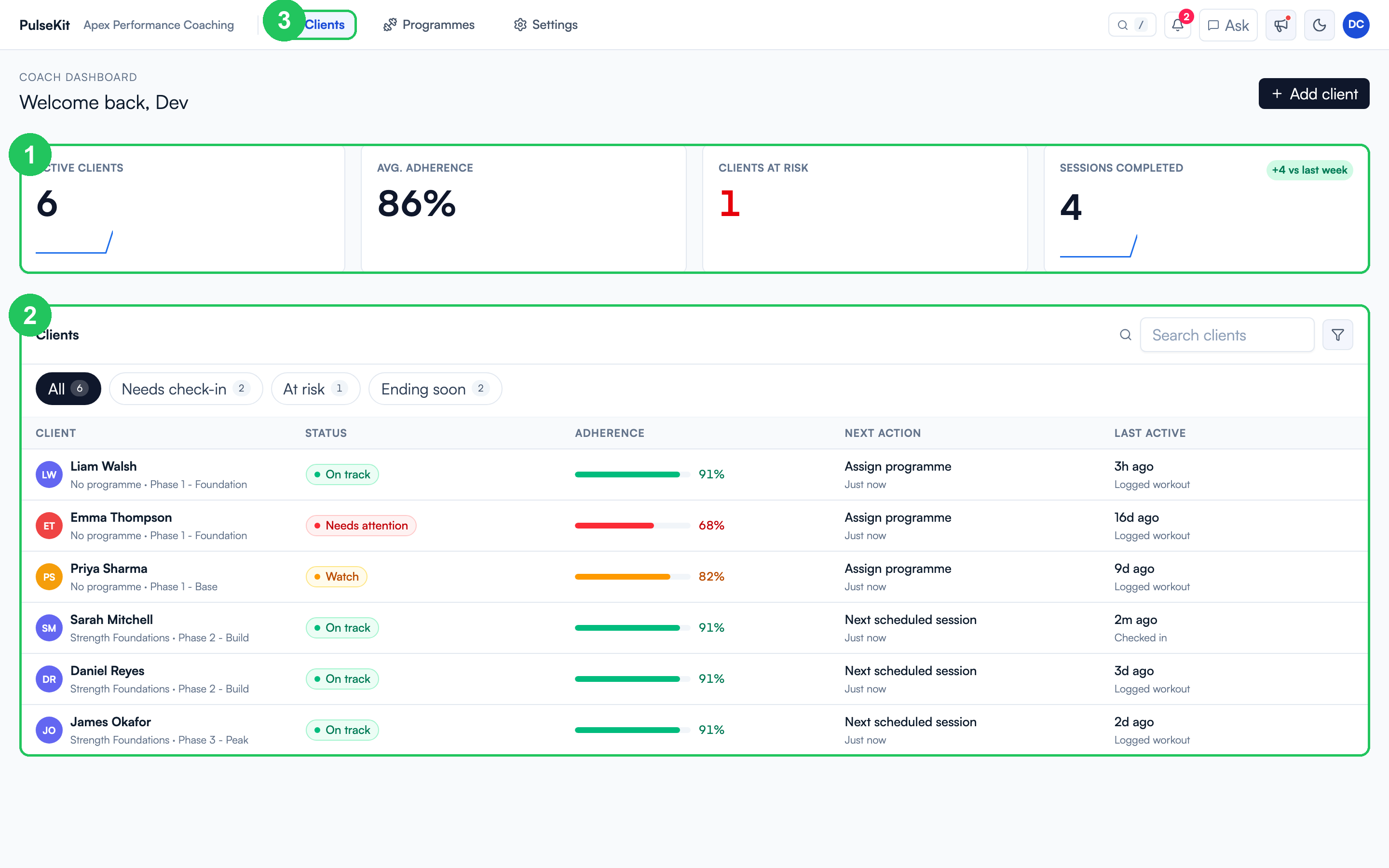
- Metric row - a quick read on active clients, average adherence, clients at risk, and sessions completed this week.
- Client table - each client shows their programme phase, status (On track, Watch, Needs attention), adherence bar, suggested next action, and last activity.
- Filters - tabs above the table narrow the list to Needs check-in, At risk, or Ending soon so you can triage quickly.
Reading a client row
Each row is built to answer "does this person need me today?" at a glance:
- Status uses colour: green is on track, amber is watch, red needs attention.
- Adherence shows the completion bar and percentage for their current block.
- Next action tells you the obvious step, for example assign a programme or review a scheduled session.
- Last active shows the most recent thing they did (logged a workout, submitted a check-in).
Open a client
- Select any client row to open their detail panel on the right.
- Use search or the filter tabs if the list is long.
- Review their plan, adherence, streak, and recent activity without leaving the list.
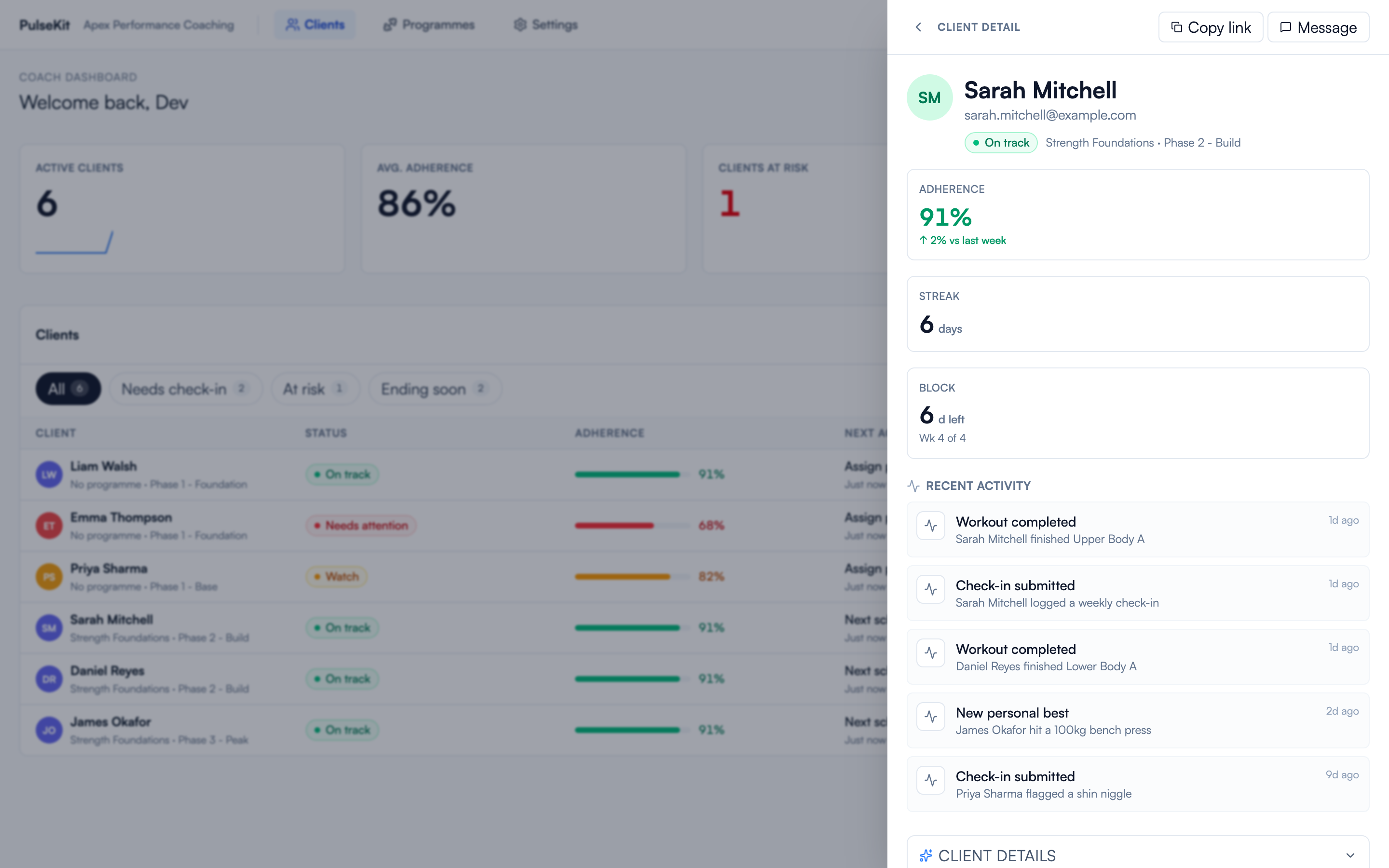
The detail panel shows the client's current programme and phase, adherence versus last week, their training streak, how far through the block they are, and a live feed of their recent workouts, check-ins, and personal bests. Use Copy link to grab their client app link or Message to reach out.
What to check first
- Latest check-in status.
- Training completion.
- Food diary consistency.
- Recent notes or alerts.
- Whether their current programme still matches their goal.
Useful habits
- Start with clients flagged as needing attention.
- Leave short notes after meaningful changes.
- Check the client app link before sending it.
- Keep programme and food guidance up to date so clients always know what to do next.